



Freight invoice management becomes harder to scale when teams rely on manual data entry, email approvals, spreadsheets, and disconnected systems. As invoice volume grows, small delays and errors lead to payment disputes, missed approvals, and unnecessary back-office costs.
This guide breaks down how freight brokers and back-office teams can manage freight invoices more efficiently using automation, standardized workflows, and centralized systems, and how platforms like Epay Manager help reduce manual work while improving accuracy and visibility.
Key takeaways
- Manual freight invoice processes are not built to scale: Email-based invoicing, spreadsheet tracking, and disconnected systems create compounding delays that grow with every invoice added to the queue.
- Centralizing documents eliminates the biggest time drain: Keeping Bills of Lading, Proof of Delivery documents, and payment records in one system cuts the back-and-forth across inboxes and folders.
- Automation lets your team handle 3x-5x more invoices without adding headcount: Standardized intake and AI document classification handle the routine work so your team focuses only on the exceptions that need manual intervention.
- Real-time visibility makes manual status updates obsolete: When invoice status, payment tracking, and dispute information are in one place, follow-up calls and email threads become unnecessary.

Why manual freight invoice management slows operations down
Manual freight invoice processes create delays at every step, and those delays compound as volume grows.
- Manual data entry: Re-keying invoice details from carrier submissions introduces errors that lead to billing discrepancies, payment delays, and disputes that require additional manual work to resolve.
- Email and spreadsheet tracking: Invoice status in an inbox is only as current as the last update. Bills of Lading (BOL), Proof of Delivery (POD) documents, and rate confirmations get scattered across email threads, slowing audits and making approvals dependent on finding the right attachment.
- Disconnected systems: When the TMS, accounting platform, and invoice workflow operate independently, information moves between them manually, creating lag between load delivery and payment.
- Volume that outpaces the team: A team managing 500 invoices per week with manual processes cannot manage 2,000 without adding headcount, unless the process itself changes.
How to efficiently manage freight invoices
The most effective way to manage freight invoices more efficiently is to replace manual, reactive steps with automated, standardized ones. The following approaches reduce administrative work and give brokers better control over their back office.
1. Centralize invoice and document management
Keep every load-related document in one place, so your team stops searching and starts resolving.
- Store Bills of Lading, Proof of Delivery documents, rate confirmations, and payment records in a single system audit trail
- Have carriers submit documents through a secure portal rather than email
- Verify submissions against load data automatically in one location instead of across inboxes and folders
Epay connects every document to the load and carrier it belongs to, so your team stops searching across systems. Scattered documents are also one of the most common drivers of billing errors - see our guide to the most common freight invoice errors and how to prevent them.
2. Automate invoice collection and processing
Automating invoice intake eliminates the manual process of receiving, sorting, and uploading carrier invoices.
- Pull load data from your TMS automatically upon delivery to generate or validate invoices
- Remove manual uploads and data re-entry from the workflow
- Trigger document collection from carriers the moment a load is marked delivered
Proactive invoicing is the foundation Epay Manager was built on. When a load is marked delivered in your TMS, Epay generates the carrier invoice, notifies the carrier, and triggers document collection automatically - before your team has to ask. The accounts payable module handles this end-to-end for freight brokers.
3. Standarize invoice workflows across teams
Consistent submission requirements reduce confusion for carriers and reduce manual outreach for your team.
- Define document requirements that apply to every load, every time (or vary rules for every unique customer and carrier relationship)
- Establish clear approval routing so invoices move without manual intervention
- Apply the same rules across all carriers to reduce exceptions
Approval bottlenecks are one of the most common causes of late payments. See how automation addresses them.
4. Use real-time tracking instead of manual status updates
Real-time invoice visibility cuts the back-and-forth between brokers, carriers, and AP teams.
- See payment status, dispute status, and document receipt in one shared system
- Give carriers direct access to where their invoice stands
- Eliminate status calls and follow-up emails from the daily workflow
Epay Manager keeps carrier payments and customer billing in one configurable system, so both sides of the invoice cycle stay synchronized without manual reporting.
5. Integrate invoicing with your existing systems
Connecting your TMS and accounting platform removes manual data movement between systems.
- Make load data the single source of truth for invoice generation
- Move approved invoices into your TMS from Epay without re-entry
- Keep invoice workflows synchronized with TMS activity automatically
Epay Manager integrates with 13+ TMS platforms, including McLeod Software, Aljex (Descartes), and Revenova. For a full list of supported integrations, visit the integrations hub.
6. Focus manual attention on exceptions only
When automation handles routine invoices, your team can focus on what matters.
- Let AI classification clear the invoices that meet every rule automatically
- Flag only the invoices with errors, missing documents, or disputed amounts for manual review
- Scale invoice volume without scaling your admin headcount
Our AI audit module classifies documents against 145 attributes and 166+ business rules with 99.3% accuracy. Your team reviews exceptions only.
Benefits of a more efficient freight invoice process
Efficient freight invoice management produces measurable outcomes across cost, capacity, and cashflow.
Frequently asked questions
How can I manage freight invoices more efficiently?
Centralize documents, automate invoice intake, integrate your TMS, and limit manual review to flagged exceptions. Platforms like Epay Manager integrate all those functions into a single system.
Can freight invoice management be automated?
Yes. Invoice generation, document collection, classification, and approval routing can all be automated. Proactive invoicing platforms automatically trigger the workflow when a load is marked as delivered.
What slows down freight invoice processing?
Manual data entry, email-based document collection, disconnected systems, inconsistent carrier submission requirements, and a lack of real-time visibility into invoice status each create bottlenecks that compound as volume grows.
What software helps manage freight invoices?
Freight brokers need a platform that connects carrier invoicing, document audit, and customer billing in one place. Epay Manager is built specifically for freight brokerage operations and, through OTR Solutions, also provides Working Capital Solutions to help brokers manage cashflow.
How do freight companies reduce manual invoice work?
They automate invoice generation, standardize document submission through a carrier portal, integrate the TMS, and use AI-NLP document audit to limit manual review to exceptions only.
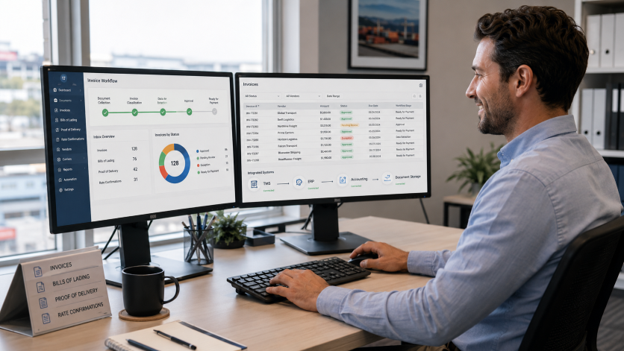
Efficient freight invoice management starts with better workflows
Manual freight invoice processes fail not because of effort, but because they were never built to scale. Email-based invoicing, spreadsheet tracking, and disconnected systems each create friction that grows with every invoice added to the queue. The fix is not more headcount; it is a better process.
Centralization and automation address that friction at the source. When invoice generation, document collection, and classification happen automatically, your back office runs on process rather than manual effort, and scales without your team having to scale alongside it.
.png)
.png)
.png)
